ir.actions.report(docx)
Note
继承ir.actions.report增强打印功能,基于docx模版打印。
-- odoo version: 16.0
-- 源码:github
初始需求
通过上传带有模板语言的docx文档,绑定单据输出新的docx文档。
方案
- 通过继承ir.actions.report模块,使用原生报告功能。该模块已完成以下功能:
- 绑定模型
- 权限组控制
- 控制上下文菜单显隐
- 文件名通过可执行代码输出(可使用操作单据的记录)
- 等等...
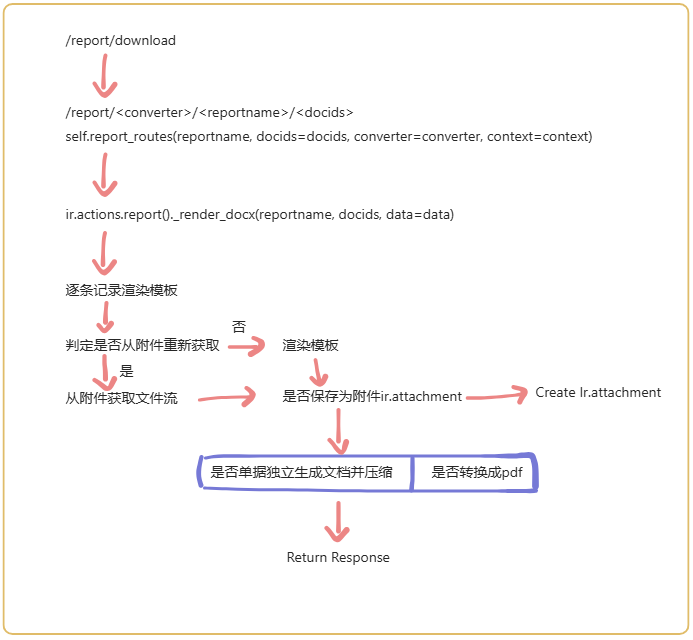
- 继承ReportController重写report_routes、report_download
- 二开补充功能
- doc转pdf:
- windows:docx2pdf.convert
- linux:通过调用系统的libreoffice转换格式,存储到服务器后再进行读取,最后删除临时文件。
相关说明
Python依赖:
__manifest__
{
    "external_dependencies": {"python": ["python-docx", "docxtpl", "docxcompose", "jinja2"]}
}
原生js存放路径(相对路径):addons/web/static/src/webclient/actions
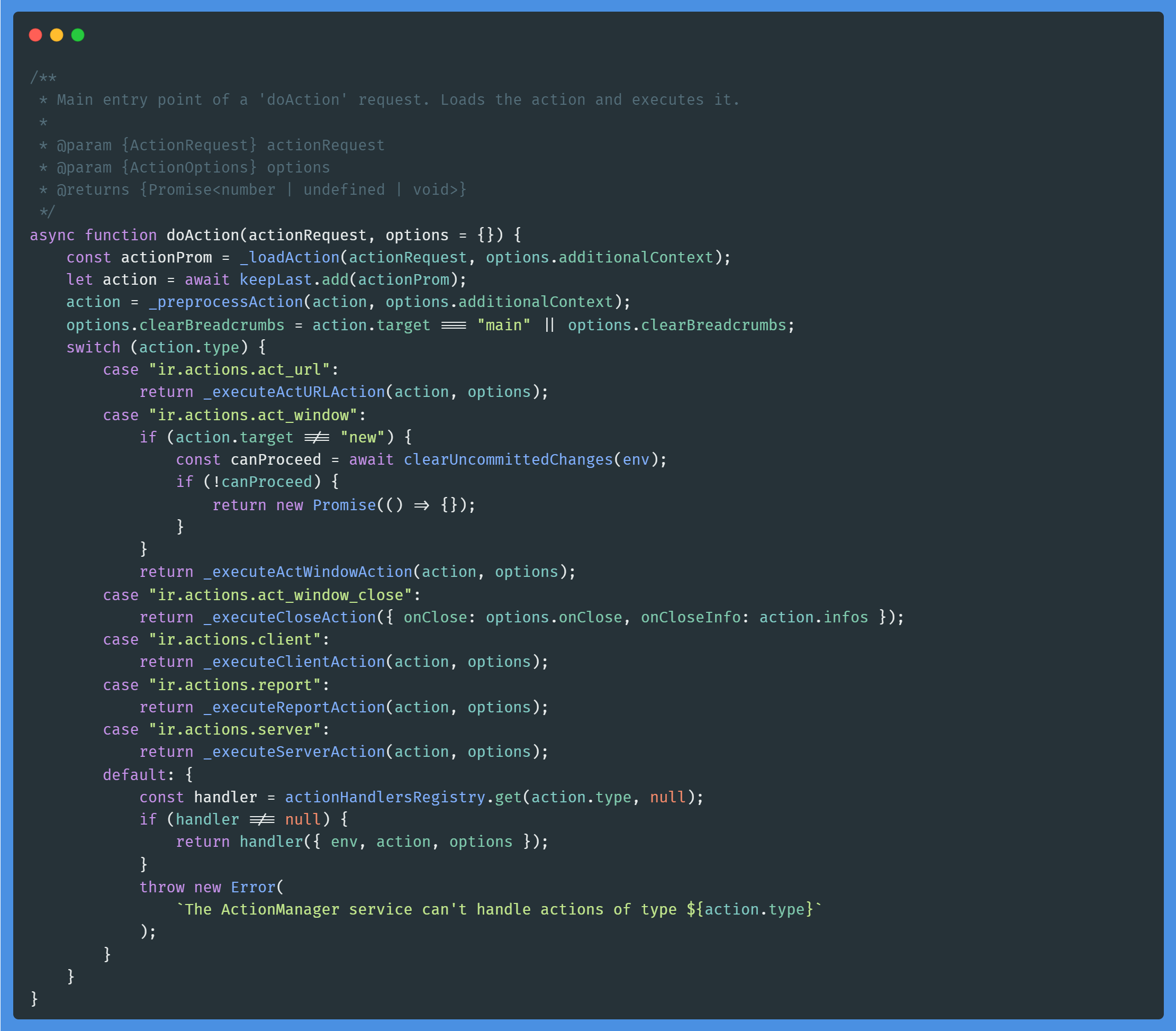
action_service (addons/web/static/src/webclient/actions/action_service.js)
do_action()
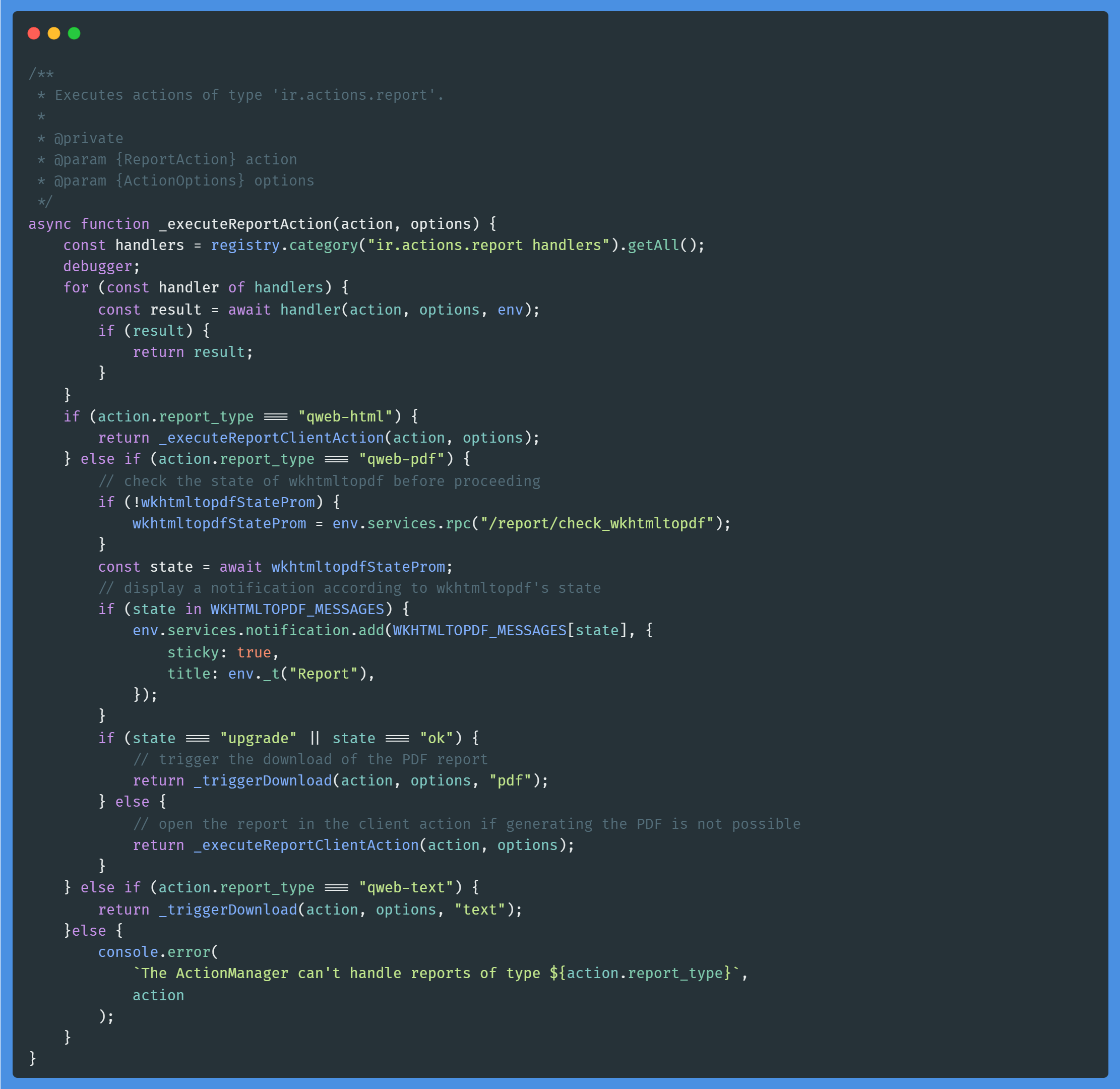
_executeReportAction()
执行报告打印action
Tip
此次需求主要是通过新增handler来处理额外的报告打印功能。
实施步骤
- 继承ir.actions.report模型(model.py)
- 注册登记(action_docx_report.esm.js)
- 在
ir.actions.report handlers中新增docx_handler,在函数中通过判断action的report_type,调用自定义的函数triggerDownload,其中triggerDownload可参考actionService._triggerDownload(),相对应_triggerDownload()中的_getReportUrl也需要进行重新自定义。 - 其中report_type需要在ir.actions.report模型中的report_type字段新增数据值(见model.py)。
- 在
registry
    .category("ir.actions.report handlers")
    .add("docx_handler", async function (action, options, env) {
        if (action.report_type === "docx") {
            await triggerDownload(action, options, env);
            return true;
        }
        return false;
    });
- 编写返回报告下载路由地址的函数(action_docx_report.esm.js)
- 继承ReportController重写(controllers.py)
- 增加视图(view.xml)
Linux中安装Libreoffice
sudo apt update
sudo apt install libreoffice
Libreoffice中文乱码问题
因linux系统中缺失中文字体,可以从windows中copy到linux中。
- windows字体目录:C:\Windows\Fonts\
- 将windows中的字体copy到一个新的文件夹中,会自动将字体的文件名转换成英文,便于copy到linux中。
- 将上述文件上传到linux服务器的/usr/share/fonts/Fonts路径下,如果没有Fonts文件夹,则新建。